
How to Create Retro Pixel Cartoon Portraits
Pixel is a set of 10 image-to-image filters for turning one portrait into a colorful Y2K arcade poster. The goal is not to make a low-resolution pixelated photo. The goal is to keep the person recognizable while rebuilding the world around them with clean pixel-art shapes, candy colors, bold English titles, and playful props.
Reference And Results
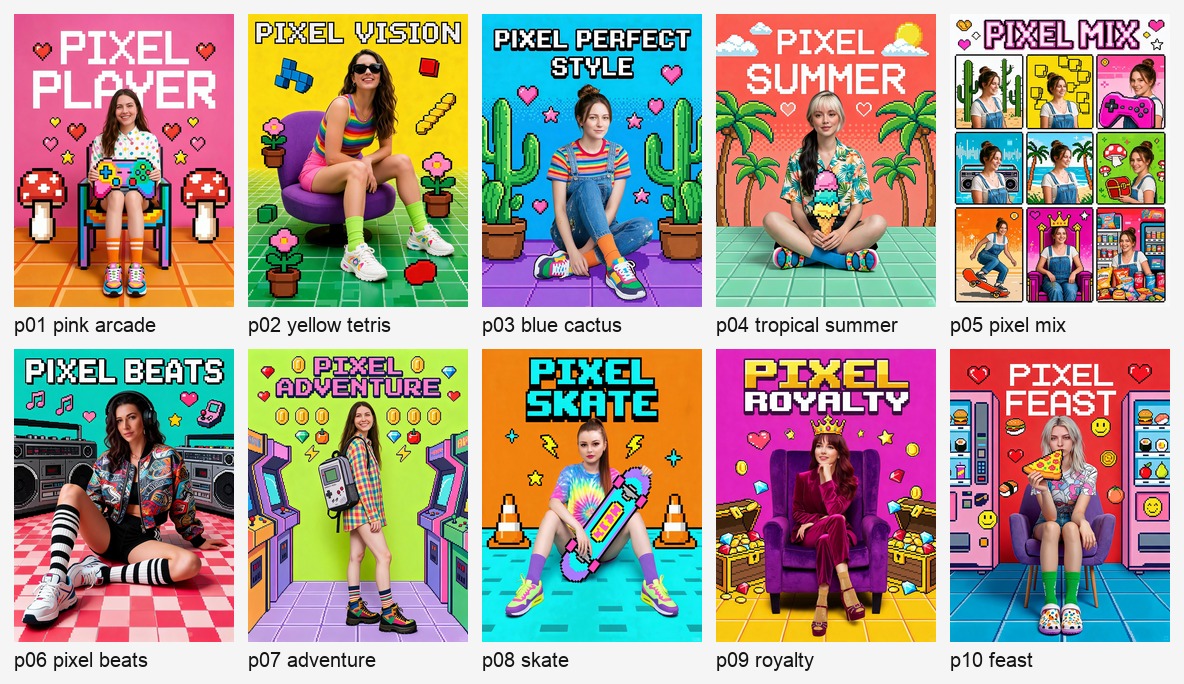
Use the source references to understand the visual language: centered portrait, chunky title text, thick outlines, bright background color, simple floor shape, and a few oversized pixel props.
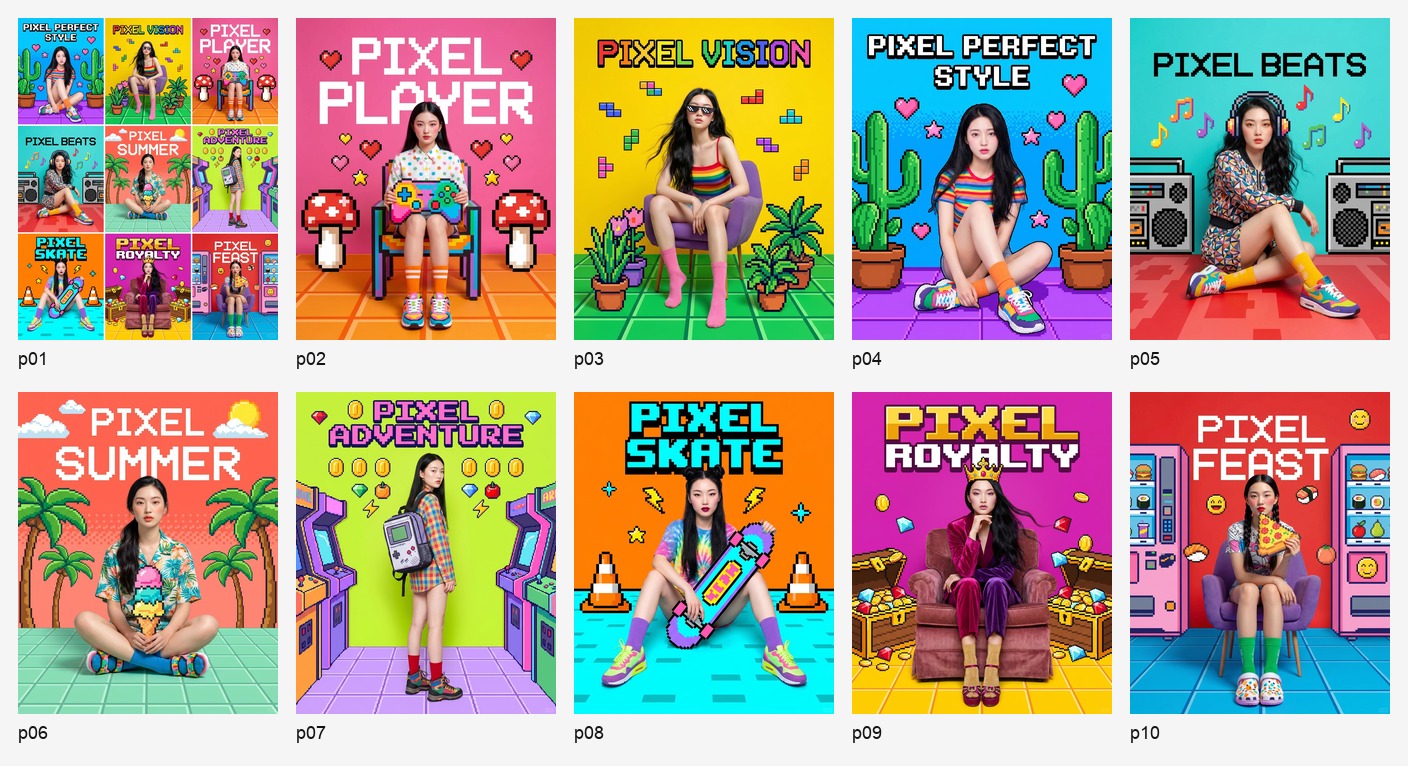
Here is the Pixel result set. Each result became a separate filter, so users can choose a specific effect instead of using one mixed collection.
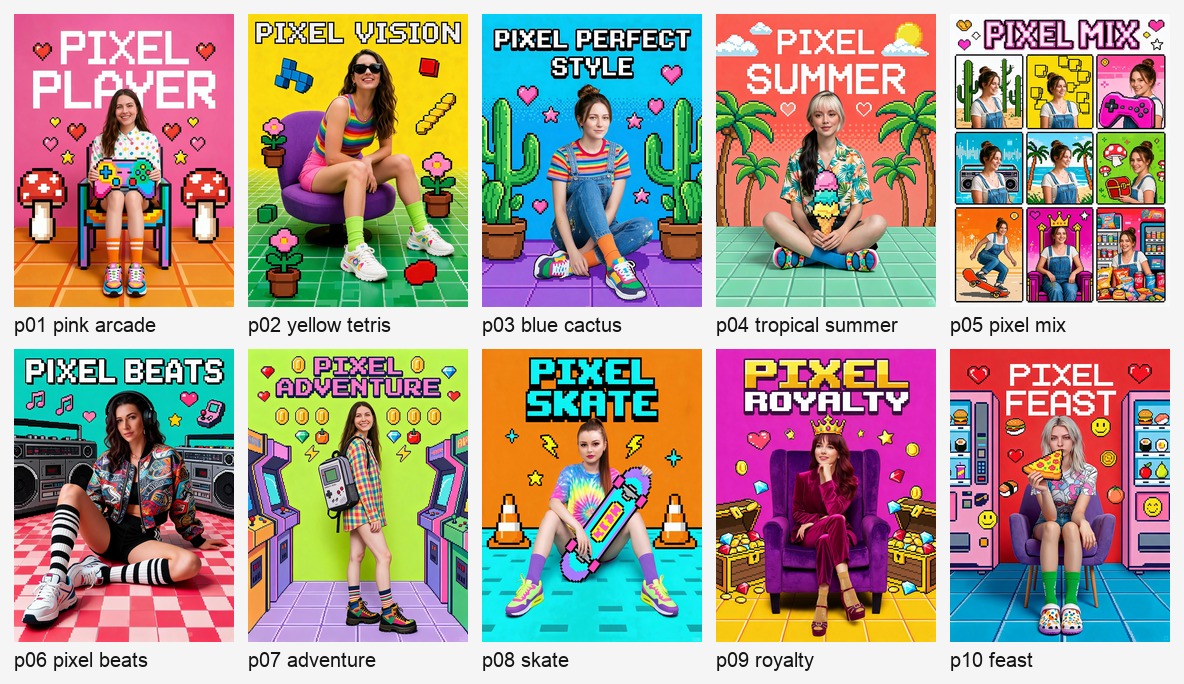
The 10 Pixel Filters
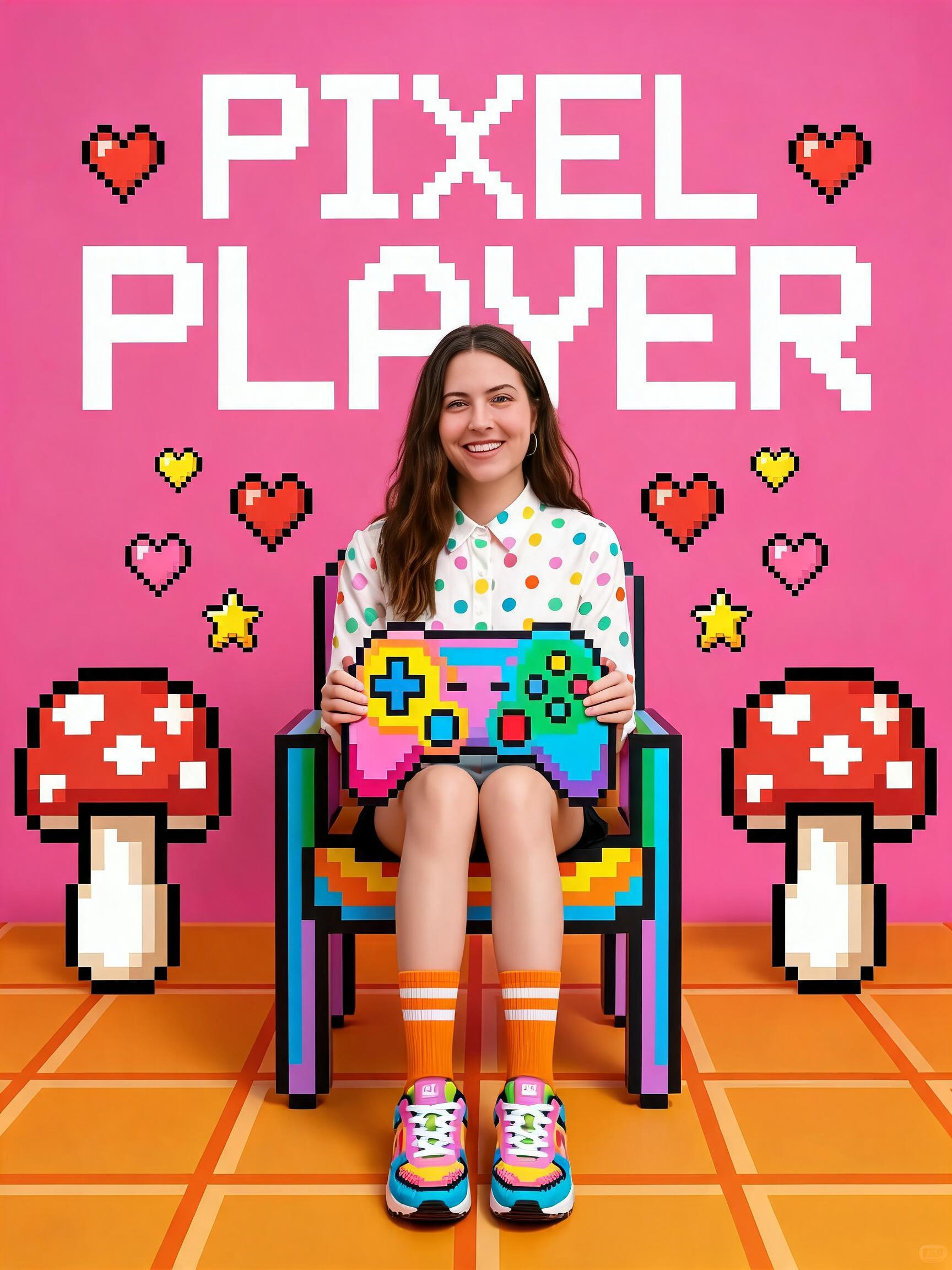
Pixel Player
Use this for a pink arcade gamer look with game controllers, mushrooms, hearts, stars, and a playful cover-poster mood.
Prompt module:
Create a pink arcade gamer poster with a chair, pixel game controller props, red-and-white mushrooms, hearts, stars, pink floor accents, and a large crisp title reading PIXEL PLAYER.
Pixel Vision
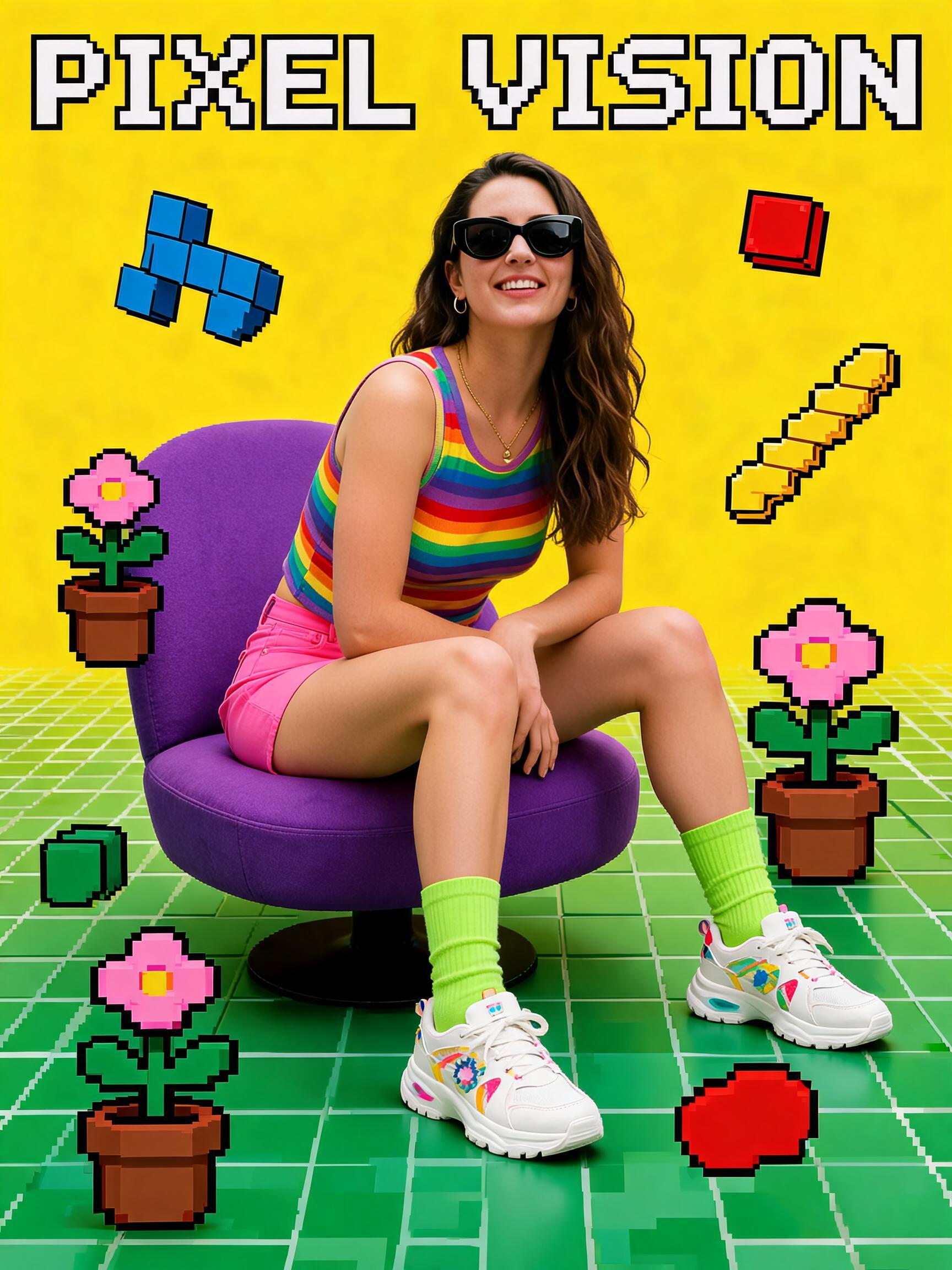
Use this when you want a strong yellow cover with sunglasses, falling Tetris blocks, a purple chair, and checkerboard floor details.
Prompt module:
Create a bright yellow pixel portrait poster with chunky sunglasses, falling Tetris blocks, a purple chair, a green checker floor, graphic black outlines, and a large crisp title reading PIXEL VISION.
Pixel Perfect Style
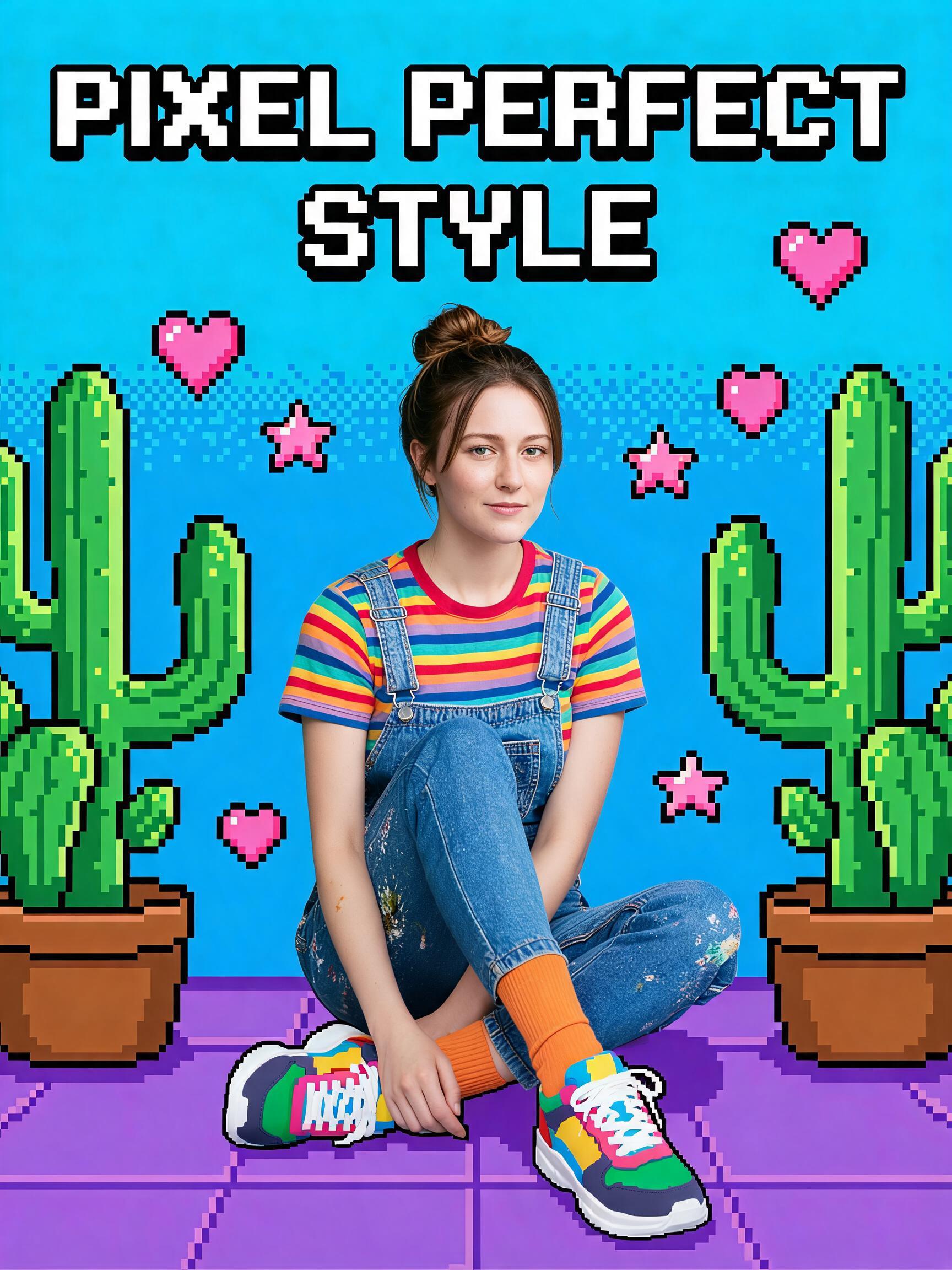
Use this for a blue cactus background, rainbow styling, pastel floor color, and an upbeat fashion-poster feeling.
Prompt module:
Create a blue cactus pixel poster with rainbow-striped styling, pixel hearts, pink-purple floor color, clean commercial light, and a large crisp title reading PIXEL PERFECT STYLE.
Pixel Summer
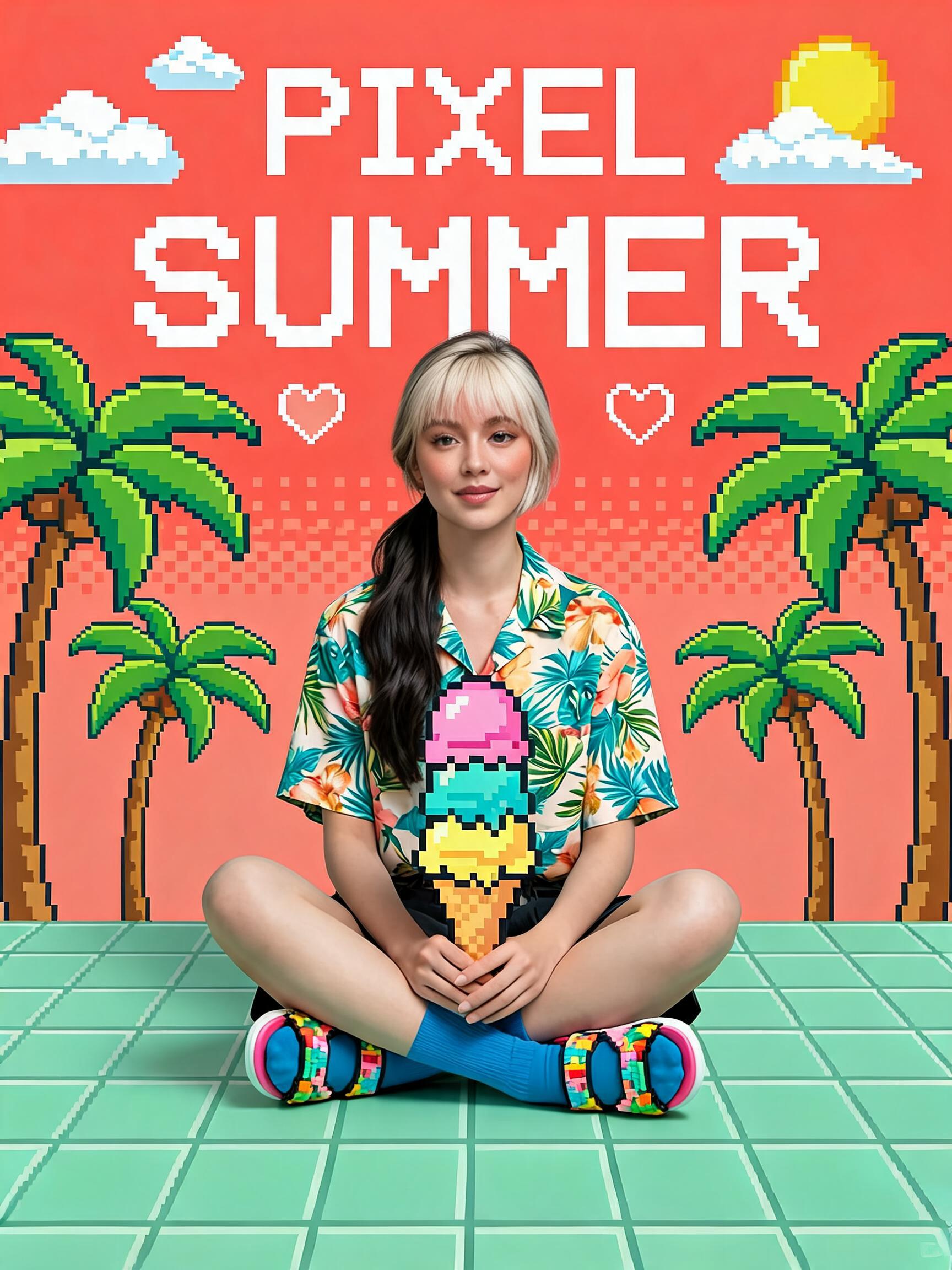
Use this for a coral-orange summer poster with palm trees, ice cream, mint floor color, and sunny vacation energy.
Prompt module:
Create a coral orange summer pixel poster with pixel palm trees, ice cream props, mint green floor color, warm vacation color, and a large crisp title reading PIXEL SUMMER.
Pixel Mix
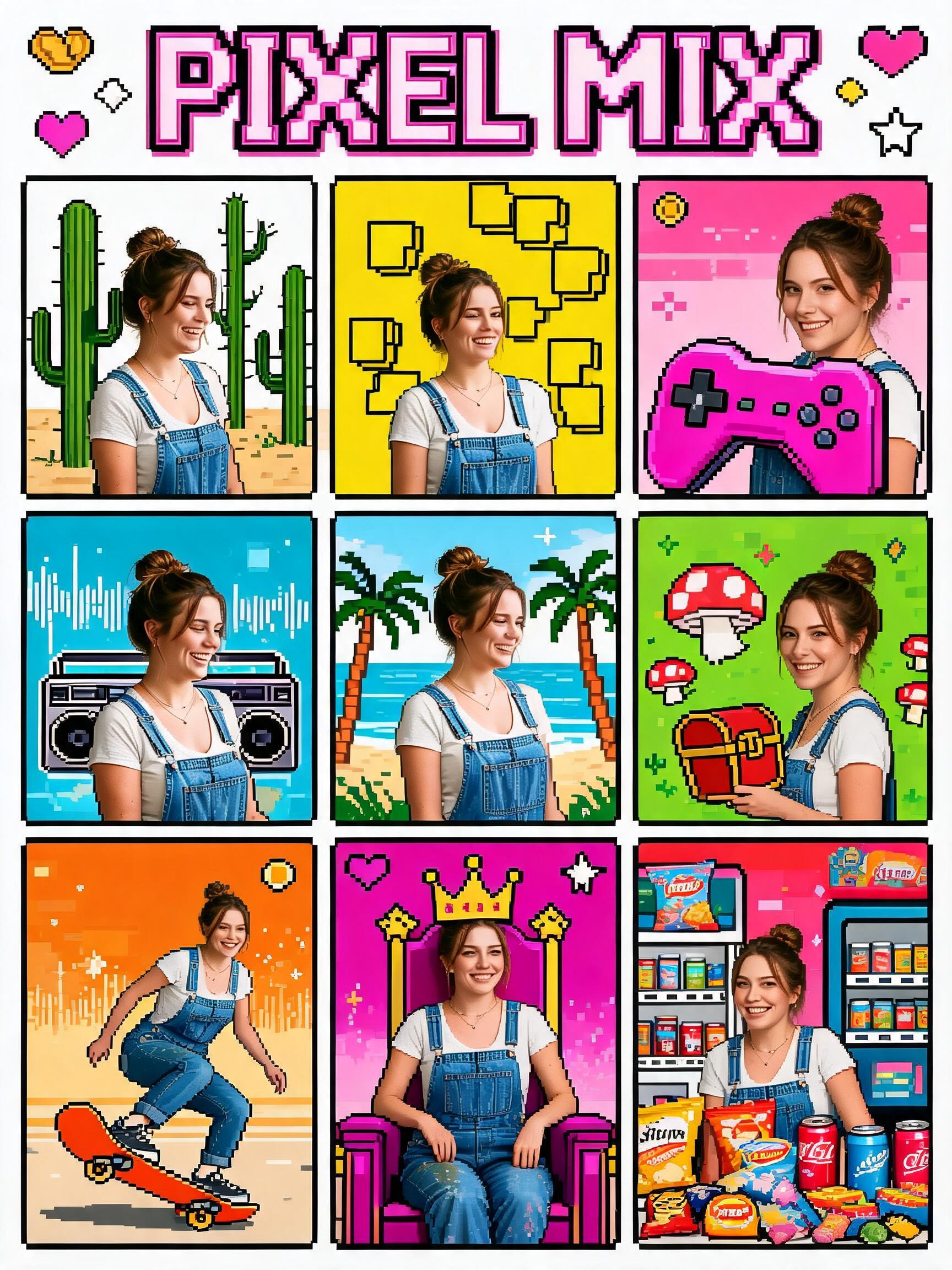
Use this for a multi-panel poster layout. It still uses one uploaded person, but it presents the result as several arcade-style panels.
Prompt module:
Create a clean multi-panel pixel poster layout where the same uploaded person appears across several small arcade-style panels, with varied candy colors, game props, bold outlines, and a large crisp title reading PIXEL MIX.
Pixel Beats
Use this for music energy: headphones, speakers, notes, blue-green color, and a bright rhythm-poster mood.
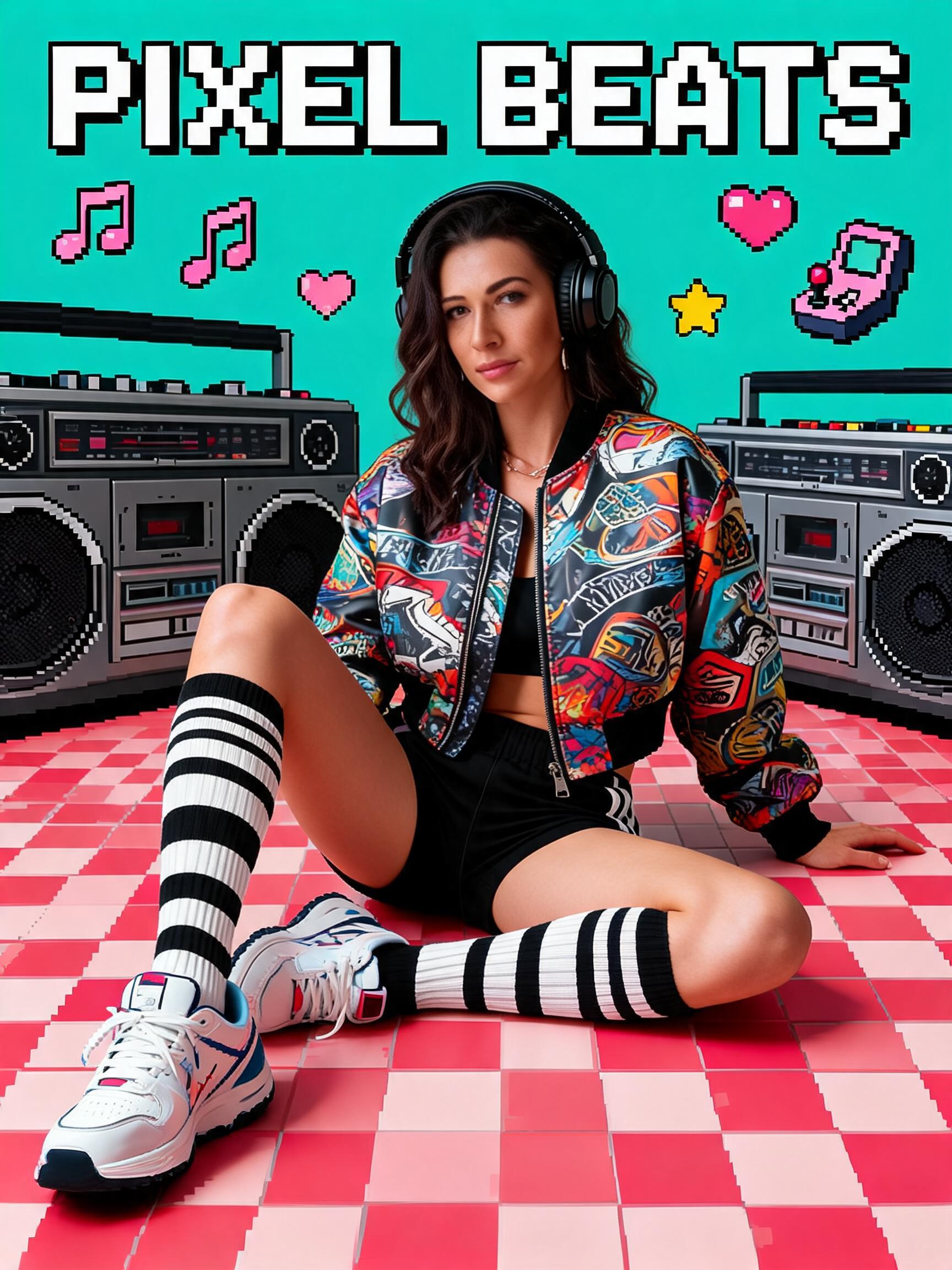
Prompt module:
Create a blue-green music pixel poster with oversized pixel headphones, speakers, music notes, red-pink floor accents, clean studio light, and a large crisp title reading PIXEL BEATS.
Pixel Adventure
Use this for arcade game machines, handheld console props, coins, gems, and a game-adventure cover mood.
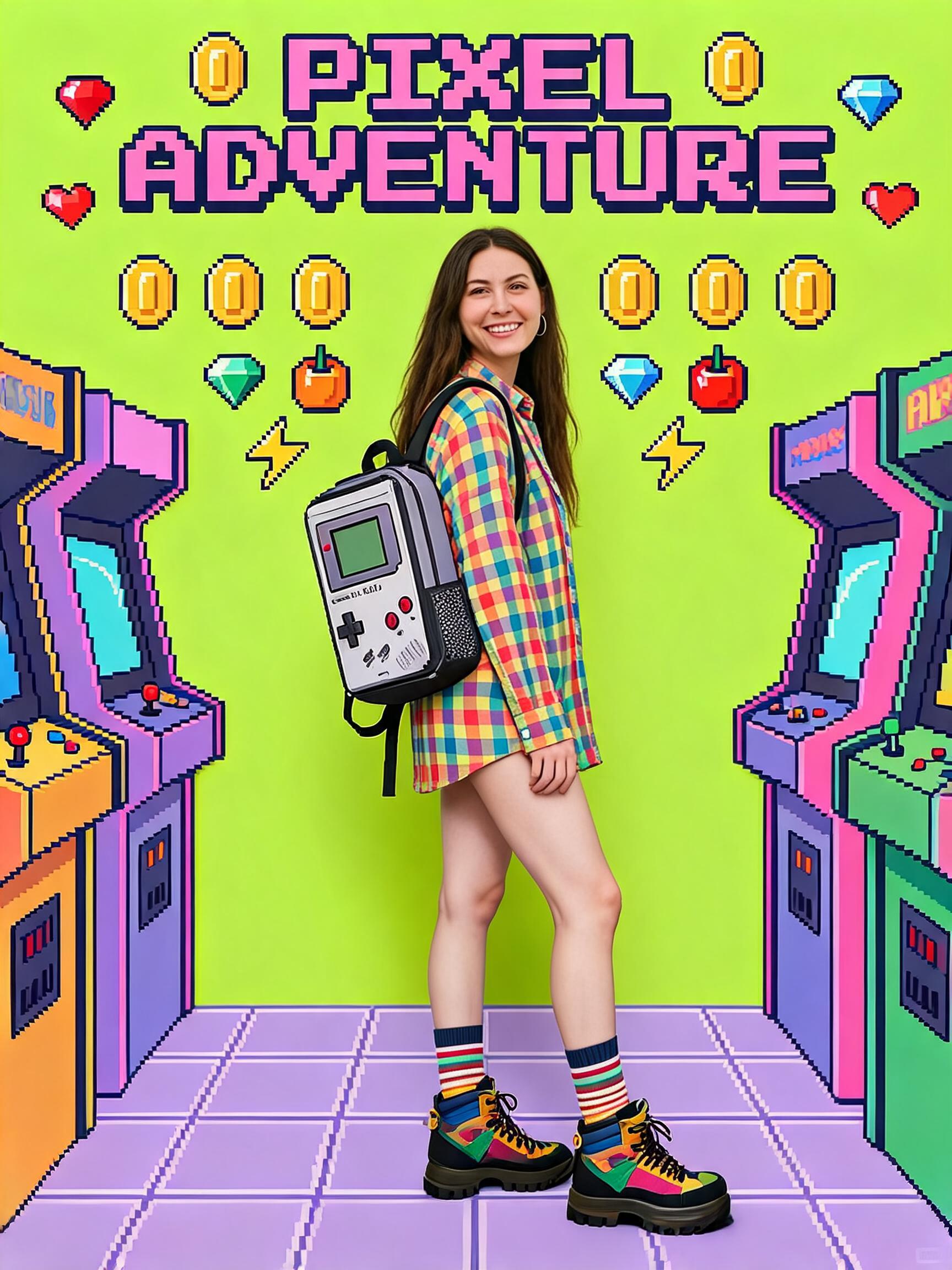
Prompt module:
Create an arcade adventure pixel poster with game machines, handheld console props, coins, gems, treasure icons, graphic black outlines, and a large crisp title reading PIXEL ADVENTURE.
Pixel Skate
Use this for an orange skateboard poster with cones, lightning bolts, teal floor color, and street arcade attitude.
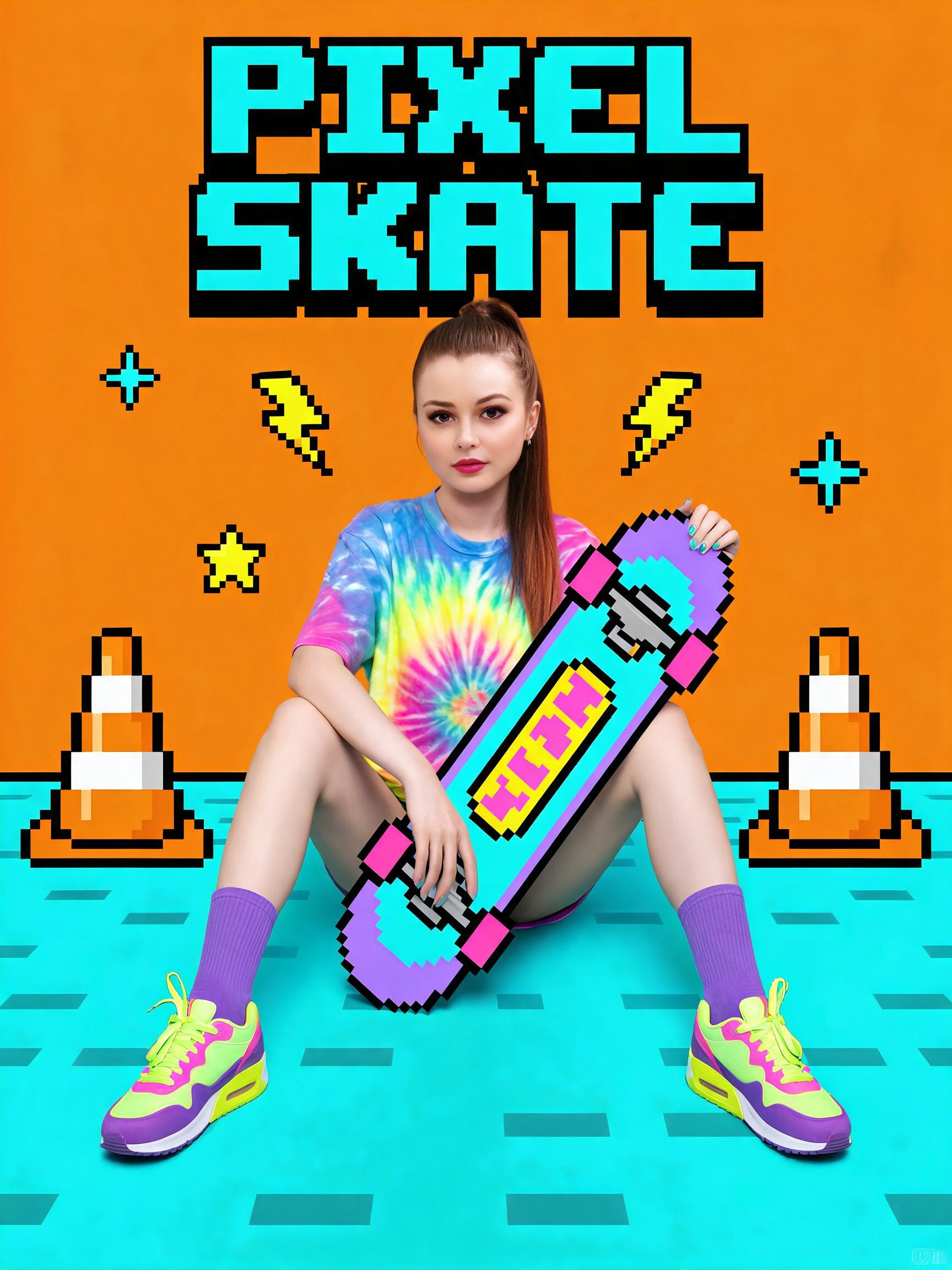
Prompt module:
Create an orange skateboard pixel poster with pixel skateboard props, traffic cones, lightning bolts, teal floor color, street arcade attitude, and a large crisp title reading PIXEL SKATE.
Pixel Royalty
Use this for a playful luxury poster with a purple throne, pixel crown, coins, treasure chest, and magenta color.
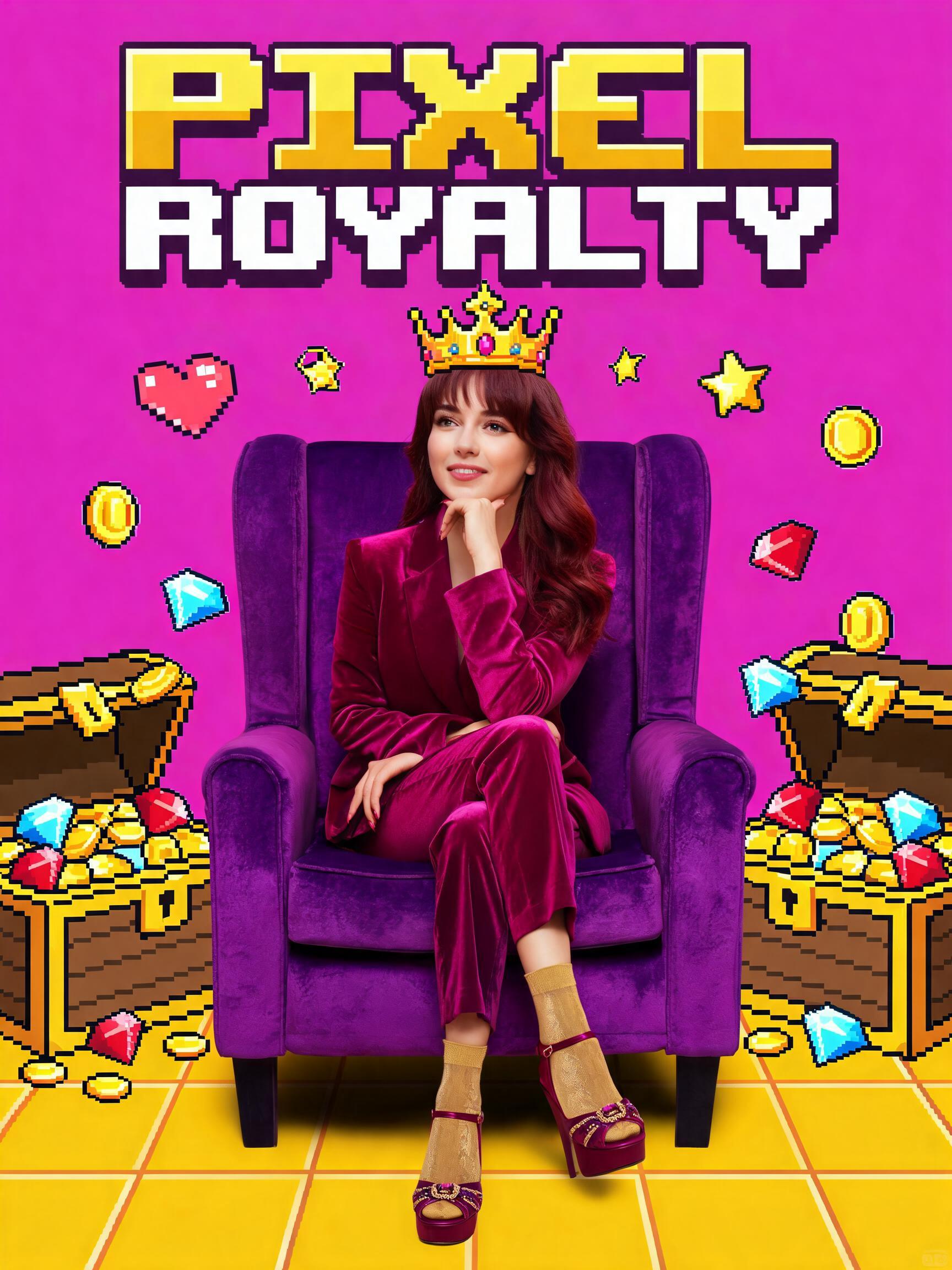
Prompt module:
Create a magenta pixel royalty poster with a purple throne, pixel crown, gold coins, treasure chest, gems, glossy candy colors, and a large crisp title reading PIXEL ROYALTY.
Pixel Feast
Use this for a red snack poster with vending machine, pizza, burgers, sushi, cute food icons, and a strong cover layout.
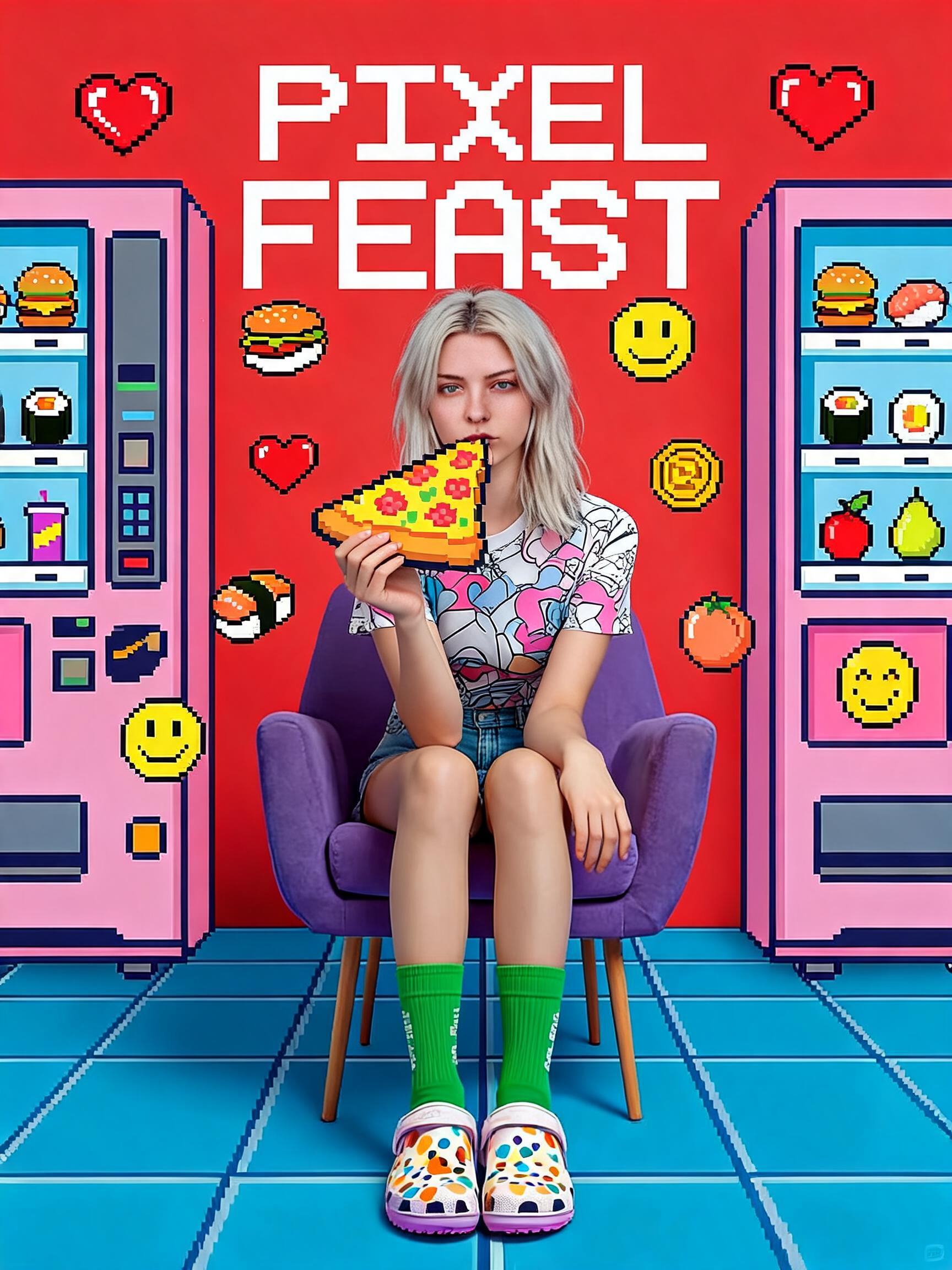
Prompt module:
Create a red snack feast pixel poster with vending machine, pizza, burgers, sushi, cute emoji-style food icons, punchy arcade colors, and a large crisp title reading PIXEL FEAST.
Prompt Formula
A strong Pixel prompt has five parts:
- Identity lock: describe what must stay from the uploaded image.
- Style world: define the overall pixel-cartoon poster language.
- Theme module: choose one clear theme, color, title, and prop set.
- Composition rules: describe title size, subject placement, lighting, and poster shape.
- Quality control: block the usual failure cases.
Use this base prompt before adding a theme module:
The input image is a single-person portrait reference. Preserve the uploaded subject's true identity, facial structure, age impression, skin tone, general hairstyle, expression, temperament, and natural body proportions. Do not copy the style reference person's face, hairstyle, or ethnicity.

Redraw the subject as a high-saturation Y2K retro pixel cartoon portrait poster: recognizable real-person likeness with light cartoon stylization, inside a flat 80s/90s arcade pixel-art world. Use thick black outlines, candy-bright macaron colors, clean commercial lighting, soft contact shadows, sharp poster composition, and large readable blocky English pixel title text.
Then add one specific theme module, for example:
Create a bright yellow pixel portrait poster with chunky sunglasses, falling Tetris blocks, a purple chair, a green checker floor, graphic black outlines, and a large crisp title reading PIXEL VISION.
Finish with control terms:
Aspect ratio 3:4, 2K output. No real brand logos, QR codes, watermarks, long readable paragraphs, extra hands, extra fingers, broken fingers, fused hands, distorted legs, multiple people, dirty colors, dark cyberpunk mood, low-resolution mosaic, or a fully unfamiliar anime face.
How To Write Your Own Pixel Prompt
Start with one main color. Do not ask for every color at once. A clear poster usually has one dominant color, one contrast color, and one floor color.
Choose three to five props. Pixel art works best when the props are easy to recognize: sunglasses, hearts, headphones, game controller, pizza, skateboard, crown, coins, or music notes.
Write the title directly. The model responds better when the title is short and explicitly named, such as PIXEL PLAYER, PIXEL BEATS, or PIXEL SKATE. Avoid long sentences on the poster.
Keep the character instruction separate from the background instruction. First protect the uploaded person's identity, then describe the illustrated world. This reduces the chance that the model copies the face from a style image.
Use quality control at the end. Pixel prompts often create extra fingers, unreadable text, or fake logos unless you explicitly block them.
Example Complete Prompt
The input image is a single-person portrait reference. Preserve the uploaded subject's true identity, facial structure, age impression, skin tone, general hairstyle, expression, temperament, and natural body proportions. Do not copy the style reference person's face, hairstyle, or ethnicity.

Redraw the subject as a high-saturation Y2K retro pixel cartoon portrait poster: recognizable real-person likeness with light cartoon stylization, inside a flat 80s/90s arcade pixel-art world. Use thick black outlines, candy-bright macaron colors, clean commercial lighting, soft contact shadows, sharp poster composition, and large readable blocky English pixel title text.

Create an orange skateboard pixel poster with pixel skateboard props, traffic cones, lightning bolts, teal floor color, street arcade attitude, and a large crisp title reading PIXEL SKATE.

Aspect ratio 3:4, 2K output. No real brand logos, QR codes, watermarks, long readable paragraphs, extra hands, extra fingers, broken fingers, fused hands, distorted legs, multiple people, dirty colors, dark cyberpunk mood, low-resolution mosaic, or a fully unfamiliar anime face.
Common Mistakes
Do not write only "pixel art portrait." That usually makes the whole face low-resolution and loses identity.
Do not use too many themes at once. "Gamer, summer, music, royalty, food, skateboard" in one prompt creates messy props.
Do not leave the title vague. If you want a poster, write the exact title text and ask for it to be large, crisp, blocky, and readable.
Do not forget anatomy controls. Hands, fingers, legs, and shoes need explicit cleanup terms, especially when the poster includes props.
Do not copy a reference person. Style references should guide color, outline, props, and composition, not identity.
Filter Set
The Pixel card includes these 10 filters:
| Filter | Use it for |
|---|---|
| Pixel Player | Pink arcade gamer poster |
| Pixel Vision | Yellow sunglasses and Tetris poster |
| Pixel Perfect Style | Blue cactus and rainbow fashion poster |
| Pixel Summer | Coral summer vacation poster |
| Pixel Mix | Multi-panel arcade poster layout |
| Pixel Beats | Blue-green music poster |
| Pixel Adventure | Arcade adventure poster |
| Pixel Skate | Orange skateboard poster |
| Pixel Royalty | Magenta crown and throne poster |
| Pixel Feast | Red snack and vending-machine poster |