How to Create Luxury Resort Illustration Portraits
What This Style Does
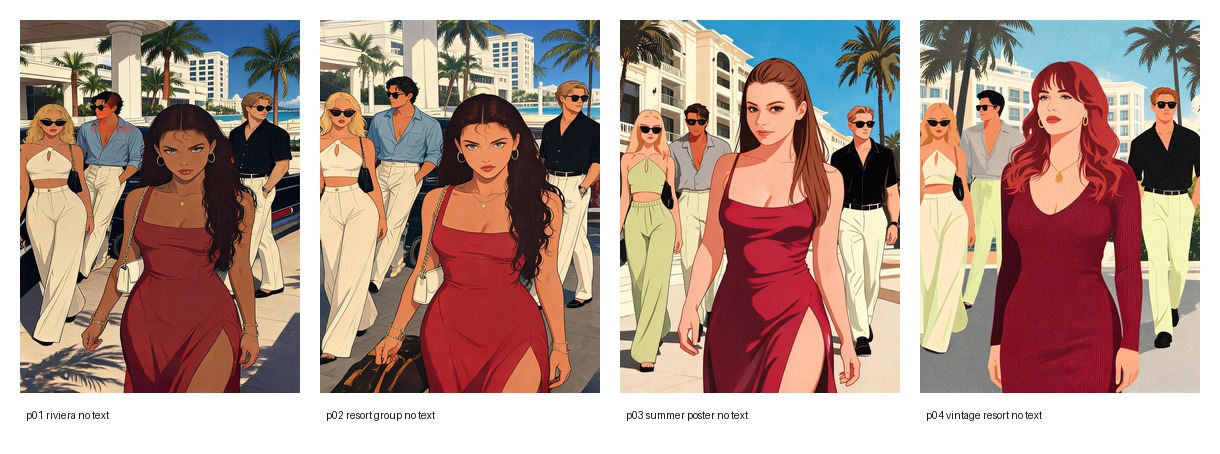
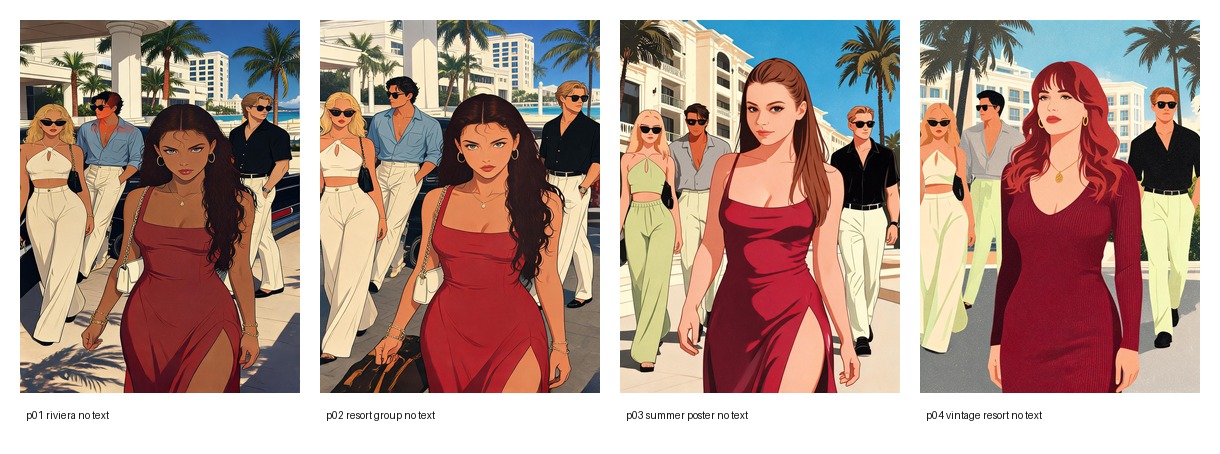
Resort Illustration transforms a portrait into a polished fashion illustration: a red dress lead figure, stylish resort entourage, cream hotel architecture, palm trees, blue sky, warm Mediterranean light, and subtle print grain.
This version is intentionally clean. It does not add lockscreen time, UI, numbers, captions, or decorative text.
Best Input Photo
Use a single-person portrait with a clear face and a confident expression. A simple outfit works well because the filter will restyle the subject into a red resort-fashion look.
How to Prompt This Look
Keep the prompt focused on style, not text overlays:
- red dress lead woman
- stylish adults behind her
- sunglasses, linen, pale blue shirts, cream trousers
- hotel facade, palm trees, warm sunlight
- flat editorial fashion illustration
- clean outlines and print grain
Prompt Formula
Preserve the uploaded person’s face identity and adult proportions.
Transform the subject into a luxury Riviera fashion illustration.
Create a red dress lead figure walking confidently in front of a stylish resort group.
Use cream hotel architecture, palm trees, warm sunlight, pale blue and cream clothing,
clean graphic shadows, flat editorial color blocks, and subtle print grain.
Do not add any text, numbers, clock overlay, phone UI, icons, logos, or watermarks.
Practical Tips
- Use
Riviera Resortfor the closest classic composition. - Use
Resort Entouragewhen you want the group behind the subject to be stronger. - Use
Summer Posterfor a brighter fashion poster feeling. - Use
Vintage Resortfor a warmer red-haired editorial variant.
Common Mistakes
- Adding words like “lockscreen” or “12:54” will bring back phone UI.
- Asking for “photo-realistic” weakens the illustration style.
- Too many accessories can make the group messy.
- Keep the palette tight: red, cream, pale blue, beige, and warm sunlight.