
How to Create a Midnight Lace Dress Reveal With AI
Turn a held-up black lace gown into a complete evening look, then follow with elegant turns, handbag poses, and warm dressing-room light.
Example image
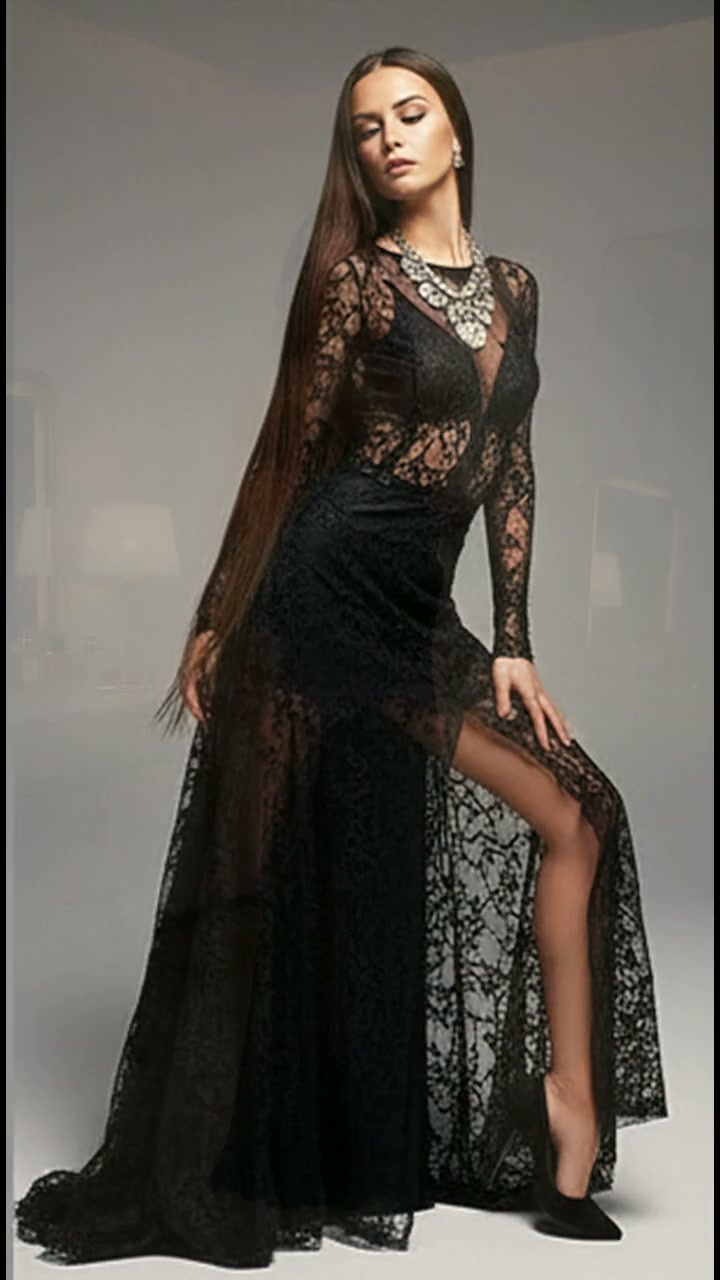
The example image is the first frame of the generated result. The accompanying effect preview uses the finished video from the same generation.
What you need
- One clear photo of one adult woman
- A front-facing or three-quarter face with natural lighting
- Visible facial structure and hair
- No sunglasses, face obstruction, tiny face, or heavy beauty filter
The source photo provides identity only. The effect creates the wardrobe, environment, camera movement, transitions, choreography, lighting, and music.
Step 1: Open the Midnight Lace Reveal effect
Choose Midnight Lace Reveal in AI Video. It is configured for one-person reference-to-video generation in a vertical 9:16 format.
Step 2: Upload the portrait
Upload one portrait of an adult woman. A simple, evenly lit source image usually preserves identity more reliably than a dramatic pose or heavily edited selfie.
Step 3: Generate the video
Start generation and allow the full scene to complete. The effect follows the original source timing after repeated end-loop frames have been removed.
Full English prompt
Create a 14.4-second vertical evening-fashion reveal featuring exactly one adult woman, preserving the identity, face, skin tone, wavy hair, and body proportions of the adult woman visible in the reference image. Do not add another person. Location: a warm minimalist dressing room with cream walls, vanity table, soft lamp, pale chair and a tall mirror.

Wardrobe: begin in a tasteful black lingerie set while she holds a floor-length sheer black lace halter dress in front of her body. After the reveal she wears that same black halter gown: opaque fitted panels at the chest and hips, elegant sheer lace bands through the waist and lower skirt, open back, floor-length hem. Add black heels and, later, a small quilted black handbag.

Timeline: 0.0-1.5s full-body; she lifts the hanging gown against herself, checks its length, and smiles subtly. 1.5-1.7s she drops the dress downward through frame, creating a clean fabric-wipe match cut. 1.7-4.2s she is fully dressed in the gown, steps forward, touches her hair, then pivots to show the open back. 4.2-6.1s back view with both arms raised gracefully overhead, then a slow return to profile. 6.1-6.6s close insert of the quilted handbag entering frame. 6.6-9.7s full-body walk and poised turns while carrying the bag; the lace hem follows with believable drag and sway. 9.7-10.3s she sits briefly on a low stool, extending the skirt diagonally. 10.3-11.8s medium pose with one hand behind her head and bag at her side. 11.8-13.1s back view; she lowers and raises her arms through her hair. 13.1-14.3s final front three-quarter pose, one hand at her neck, calm direct eye contact. End before the opening hanging-dress shot repeats.

Camera: fixed vertical phone composition with clean jump cuts and gentle punch-ins; warm diffused light and realistic lace transparency without exposing unintended anatomy. Audio: sleek nocturnal R&B-inspired instrumental with slow bass, brushed trap percussion and soft room reverb; no dialogue or vocals. No text, logos, watermark, extra people, face morphing, extra limbs, warped hands, clothing melt, flicker, or loop.
Quality checklist
- Exactly one adult woman remains recognizable
- Face, skin tone, hairstyle, age, and body proportions stay stable
- Wardrobe and location changes follow the prompt timeline
- Hands, hair, fabric, bags, shoes, turns, and poses move naturally
- Music matches the scene and contains no dialogue or vocals
- No extra people, duplicate limbs, warped hands, text, subtitles, logos, interface, or watermark
Pro tip
Use a source portrait with clean facial detail and enough resolution. The effect already directs expression and movement, so a neutral input gives the video model more room to reproduce the intended fashion choreography.