
How to Create a Luxury Travel Fashion Reel With AI
Generate a fast luxury travel montage with one consistent woman, rapid outfit changes, beat-synced hard cuts, and high-fashion electronic music.
Example image
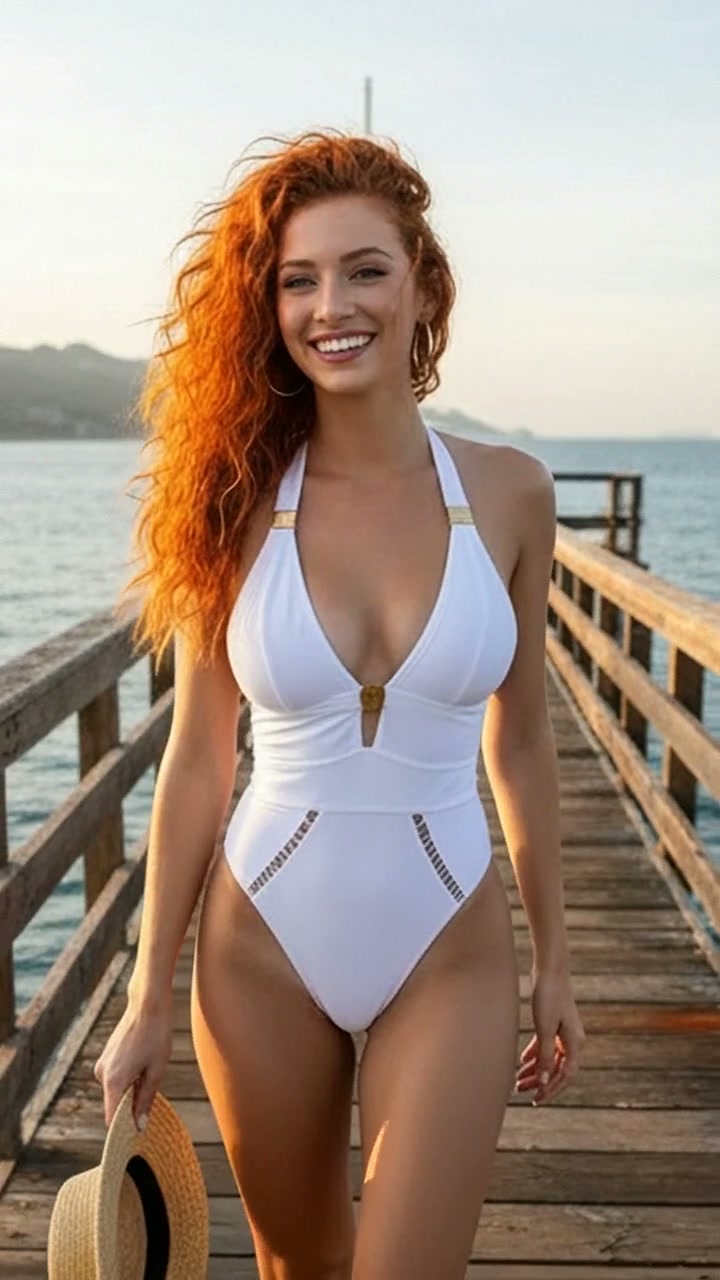
The example image is the first frame of the generated result. The accompanying effect preview uses the finished video from the same generation.
What you need
- One clear photo of one adult woman
- A front-facing or three-quarter face with natural lighting
- Visible facial structure and hair
- No sunglasses, face obstruction, tiny face, or heavy beauty filter
The source photo provides identity only. The effect creates the wardrobe, environment, camera movement, transitions, choreography, lighting, and music.
Step 1: Open the Luxury Reel Rush effect
Choose Luxury Reel Rush in AI Video. It is configured for one-person reference-to-video generation in a vertical 9:16 format.
Step 2: Upload the portrait
Upload one portrait of an adult woman. A simple, evenly lit source image usually preserves identity more reliably than a dramatic pose or heavily edited selfie.
Step 3: Generate the video
Start generation and allow the full scene to complete. The effect follows the original source timing after repeated end-loop frames have been removed.
Full English prompt
Create a 9.9-second vertical high-fashion travel montage featuring exactly one adult woman in every shot, preserving the identity, face, skin tone, hair, and body proportions of the adult woman visible in the reference image across all rapid outfit and location changes. Do not add another person. Use approximately twenty-two readable micro-scenes, each around 0.35-0.5 seconds, with confident runway poses and hard cuts exactly on the beat.

Wardrobe and locations in order: cream strapless corset top with black-and-white polka-dot skirt on a lake balcony; black lace evening gown at a carved stone fountain; champagne tulle dress behind glass in a coral courtyard; pearl satin night dress beside a warm hotel lamp; champagne gown reclining on a canopy bed; pale aqua satin gown smiling on a lake terrace; vivid red gown at a Venetian balcony; black corset dress seated among red roses; white mini dress inside a classic water taxi; voluminous white ball gown beside turquoise coastal water; white bikini on a yacht deck; red gown descending a grand wooden staircase; black cropped evening top in a warm corridor; silver-white dramatic gown in a wood-paneled salon; tailored white outfit perched on antique furniture; black mini dress outside a luxury fashion boutique; lilac fitted dress at a cafe; ivory corset top against old stone; sparkling champagne mini dress before an illuminated cathedral; black floor-length gown in a doorway; cream top with polka-dot skirt on a sunny boat; final white gown walking through an ornate historic arcade.

Transitions: hard cuts, whip pans, dress-swish wipes and quick match cuts; never crossfade faces. Each outfit must fully resolve before the next cut. Keep the same recognizable woman and natural anatomy despite the fast rhythm. End on the final arcade walk before the first balcony shot repeats.

Lighting moves coherently from soft lake daylight through warm interiors, yacht sun and evening city sparkle. Camera alternates full body, medium and close portraits with fashion-editorial stability. Audio: high-fashion electronic instrumental with crisp kick, camera-click accents, rising synth pulses and beat-synced transitions; no dialogue or vocals. No captions, interface, social-media overlays, logos, watermark, extra people, face drift, duplicated limbs, warped hands, flicker, or unfinished outfit transformations.
Quality checklist
- Exactly one adult woman remains recognizable
- Face, skin tone, hairstyle, age, and body proportions stay stable
- Wardrobe and location changes follow the prompt timeline
- Hands, hair, fabric, bags, shoes, turns, and poses move naturally
- Music matches the scene and contains no dialogue or vocals
- No extra people, duplicate limbs, warped hands, text, subtitles, logos, interface, or watermark
Pro tip
Use a source portrait with clean facial detail and enough resolution. The effect already directs expression and movement, so a neutral input gives the video model more room to reproduce the intended fashion choreography.